


Cake Maker DIY: Baking Games
4.5357.00 Reviews
App Specs
- Version
- 1.22
- Updated On
- License
- Free
- Downloads
- 10,000,000+
- Developer
- The Fashion Valley
- Categories
- Role Playing
- Platform
- Android
Screenshots
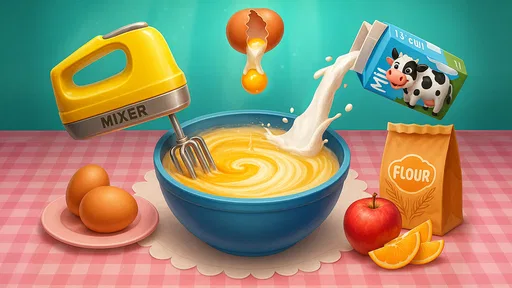
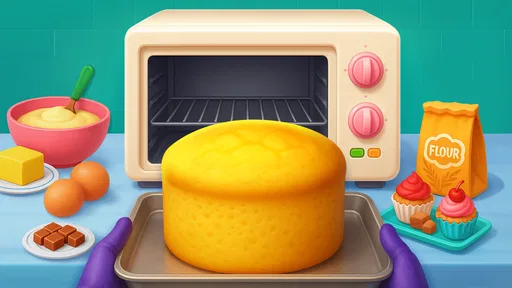


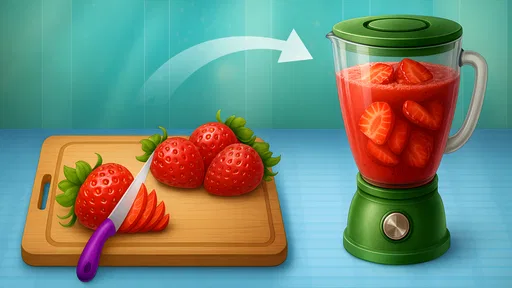



 Analysis by AppCompare
When I want a small creative break, I’m more likely to reach for a simple baking game than a demanding role-playing adventure or a detailed cooking simulator. Cake Maker DIY: Baking Games is built around the pleasure of assembling a cake: choose a style, work through the preparation, and make the finished dessert your own. Its appeal is easy to understand, though it helps to approach it as a light, hands-on pastime rather than a serious baking lesson.
A simple loop that works best in short sessions
The basic rhythm is straightforward: pick a cake, tap and swipe through the preparation, then move on to the visual choices that give the result personality. I find that kind of guided sequence useful when I have a few spare minutes and want something more engaging than scrolling, but do not want to learn a complicated control scheme. The game’s role-playing category may sound broader than the experience itself; the central draw here is casual, creative cake-making.
The small decisions are where the activity feels most personal. I like treating each bake as a tiny design exercise instead of racing through every step. For example, I might settle on a cake style first, then choose a decoration direction—bright and playful, or more restrained—and keep the icing and toppings consistent with it. That gives a session a simple goal without needing a score chase or a long plan.
What to check before settling into a routine
The game is free to start, and the current version is 1.11. Optional in-app purchases are listed at $1.99 per item, so I would check the purchase controls on the device before handing it to a child or letting someone play unsupervised. That is a practical precaution rather than a reason to avoid the game: it simply helps keep a relaxed baking session within the boundaries you want.
It is rated Teen, so parents should use that age guidance rather than assuming that a cake theme automatically makes it suitable for every younger player. The minimum operating-system requirement is version 8.0. I would also make sure the device has enough free space and is running smoothly before starting, especially if the game is intended as a quick distraction while traveling or waiting somewhere.
Small habits that make the decorating more satisfying
A useful habit is to pause briefly before decorating and decide what the cake is meant to look like. Without that moment, it is easy to add every appealing topping and end up with a cluttered design. I get more satisfying results when I choose one main visual idea, such as a strong icing color or a fruit-focused finish, and use extra decorations sparingly. It is a simple way to make repeat sessions feel less like tapping through the same motions.
I would also treat each run as a chance to try one change rather than reinvent everything at once. Keep the general approach familiar, then vary the cake style or the decoration choices. That makes it easier to notice what you enjoy and gives the game a gentle sense of progression even when you are only playing casually. If a child is using it, asking them to describe the design they want before starting can turn the activity into a small creative prompt without making it feel like homework.
Worth Reading Before You Choose

Baby Panda World Brings Quick Play to Modern Phones, but Its Game Library Feels Busy

ESPN’s Live Game View Makes Following Close Games Easier

QuizzLand Review: A Good Fit for Short Trivia Breaks, Not Every Player

Basketball Stars: Multiplayer Is Fast, but Can It Recover When Matches Go Wrong?

WEBTOON Turns Phone Updates Into a Better Reading Routine

Link to Windows Runs on Shared Habits, Not Social Feeds
Who will enjoy it—and who may want something else
This is a good fit for people who enjoy visual customization, cozy food themes, and simple touch controls. It can suit a short break at home, a quiet moment between errands, or a low-pressure activity shared with a child. One realistic use is letting a child make a cake while an adult is preparing a real snack nearby: the game keeps the child occupied creatively, while the adult can chat about colors and toppings without expecting the app to teach precise kitchen skills.
It is less suitable for someone looking for realistic baking technique, open-ended cooking management, or a deep role-playing campaign. Compared with a recipe app, it prioritizes playful interaction over accurate measurements and practical instructions. Compared with a full cooking simulator, it offers a more focused cake-decorating mood rather than a broad kitchen workflow. If the goal is to learn how to bake a reliable sponge or manage several dishes, a real recipe guide or a more involved cooking game is the better choice.
There is also a natural limit to this kind of loop: once the cake-making steps and decoration choices feel familiar, players who need frequent new challenges may find the experience less compelling. I would not choose it as my main game if I wanted strategy, complex objectives, or a strong sense of story. Its strength is that it asks for little commitment, and the same simplicity that makes it easy to pick up can make longer sessions feel repetitive.
The Fashion Valley developed the game, which has an average rating of 4.4 from around 33,000 ratings and more than 10 million installs. Those figures suggest that its accessible cake-making idea has found a broad audience, but they do not change the best way to judge it: try a short session and see whether the tactile preparation and decoration are enjoyable for you. It is free to download, with optional purchases, so it is sensible to keep an eye on spending if the game is played by someone who may tap purchase prompts without checking.
One question people often have is whether it is just for children. I would say no: the gentle pace and decorating can be relaxing for adults too, especially if they want a small creative task rather than a demanding game. Another is whether it can teach real baking. It may spark ideas about cake styles and toppings, but I would use an actual recipe for ingredients, timing, and safe kitchen technique. And if you are wondering whether it suits a quick session, its simple tap-and-swipe flow is well suited to picking up briefly; players who want a substantial campaign should look elsewhere.
The game’s short description is “Cake Maker DIY,” but what matters in practice is whether its make-and-decorate routine fits the kind of downtime you have. I would recommend it to someone who enjoys making visual choices and wants a cheerful, low-pressure activity. I would skip it in favor of a more detailed cooking or role-playing game if I needed deeper systems, precise culinary guidance, or sustained progression.
From first cake to a repeatable routine
Once you fire up Cake Maker DIY: Baking Games, you’re greeted with a vibrant display of mouthwatering choices. The game kicks off by letting you select from a variety of cake styles, each more whimsical than the last. Whether you're in the mood for a classic vanilla sponge or an extravagant multi-tiered cake, the options are aplenty.
The game’s interface is super intuitive, making it a breeze even for the tech-challenged among us. You simply tap and swipe to gather ingredients, mix your batter, and pop it into the oven. It’s almost therapeutic, watching your creation come to life step by step.
Features That Stand Out
What really sets this app apart are the creative customization options. You have a whole arsenal of decorations at your disposal. Think sprinkles, icing swirls, fresh fruit, and even edible glitter. It’s like having a virtual dessert workshop in your pocket!
Another cool feature is the mini-games scattered throughout. They’re perfect for when you need a quick break from baking, offering a fun way to earn bonus ingredients or decorations. It keeps the gameplay fresh and engaging, preventing it from feeling repetitive.
Perfect for All Ages
This game isn’t just for kids, though they’ll undoubtedly love it. It’s perfect for anyone who enjoys a little creative outlet without the real-life hassle of cleaning up flour and sugar. Plus, it’s an excellent way to experiment with cake designs you might want to try in real life.
The app is surprisingly educational too. By engaging with different recipes and ingredients, players can pick up basic baking knowledge. It’s not going to turn you into a pastry chef overnight, but it might just inspire you to try the real thing.
A sweet, casual recommendation
In the realm of baking games, it’s a standout. It combines creativity, fun, and a pinch of learning into a delightful package. Whether you’re a baking enthusiast or just looking for a new way to unwind, this app is a sweet treat you won’t want to miss. So go ahead, dive into the world of digital cakes, and let your imagination run wild!
Ready to start baking? You’ll find the download link right here on our site. Happy baking!
Pros
- Intuitive interface for easy navigation.
- Variety of cake designs to choose from.
- Engaging and fun for all ages.
- Offline play mode available.
- Regular updates with new features.
Cons
- Limited free content; in-app purchases needed.
- Ads can be intrusive during gameplay.
- Some features require internet connection.
- Occasional glitches in graphics.
- Limited customization options for cakes.
FAQs for Cake Maker DIY: Baking Games
What is Cake Maker DIY: Baking Games all about?
Cake Maker DIY: Baking Games is an interactive mobile game designed for both Android and iOS users. It allows players to immerse themselves in the world of baking by creating virtual cakes from scratch. The game features a variety of ingredients, tools, and decorations, making it a fun and engaging way to explore creativity in baking.
Is Cake Maker DIY: Baking Games suitable for children?
Yes, Cake Maker DIY: Baking Games is designed to be suitable for all ages, including children. The simple interface and easy-to-follow instructions make it an excellent choice for young players. It promotes creativity and imagination, while ensuring a safe and fun gaming environment without inappropriate content.
Are there in-app purchases in Cake Maker DIY: Baking Games?
Yes, while Cake Maker DIY: Baking Games is free to download and play, it does offer in-app purchases. These purchases can enhance the gaming experience by unlocking additional ingredients, tools, or decorative items. Parents should be aware of this feature and may want to set up parental controls if children are using the app.
Can I play Cake Maker DIY: Baking Games offline?
Cake Maker DIY: Baking Games can be played offline, making it a great option for long trips or situations without internet access. However, some features, such as updates or additional content, may require an internet connection. Playing offline ensures uninterrupted gameplay without the need for a constant internet connection.
What devices support Cake Maker DIY: Baking Games?
Cake Maker DIY: Baking Games is compatible with a wide range of Android and iOS devices. It requires a relatively recent operating system to ensure smooth gameplay and access to all features. Users should check their device's compatibility and ensure enough storage space before downloading to avoid any technical issues.


